Why teams pick the T31G.
The T31G takes everything that makes the T31P a safe default, then swaps the network ports for dual gigabit. That matters on desks where the computer plugs into the back of the phone: with 10/100 passthrough, a gigabit PC connection gets throttled, but the T31G passes traffic through at full speed. Same 2.3-inch backlit display, same two SIP accounts, same Yealink HD voice, same PoE convenience.
For most offices this is the smarter entry pick, because one Ethernet drop per desk serves both phone and PC without a switch upgrade. fvoip ships every T31G pre-provisioned, so installation is genuinely plug-and-work: your extension, speed dials, and voicemail arrive on the phone within a couple of minutes of it booting. When your team grows, add more phones from the fvoip portal and they configure themselves the same way.
Rentals include advance replacement and firmware management. Either way, the phone arrives auto-provisioned — plug it in and your extension is live.
Manufacturer datasheet (PDF) ↓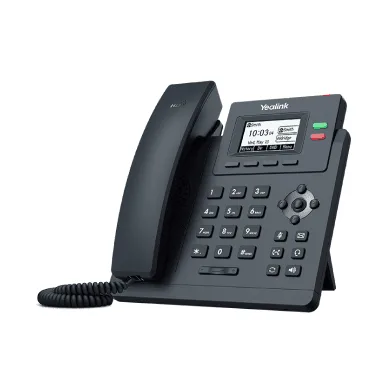
Specifications
- Display2.3" 132x64 backlit graphical LCD
- Lines2 SIP accounts
- EthernetDual gigabit ports
- Wi-FiNo
- BluetoothNo
- USBNo
- PowerPoE (802.3af) or power adapter
- HeadsetRJ9 headset port